
App Management
You can access the App Management window by clicking the cog-wheel icon on the home page.
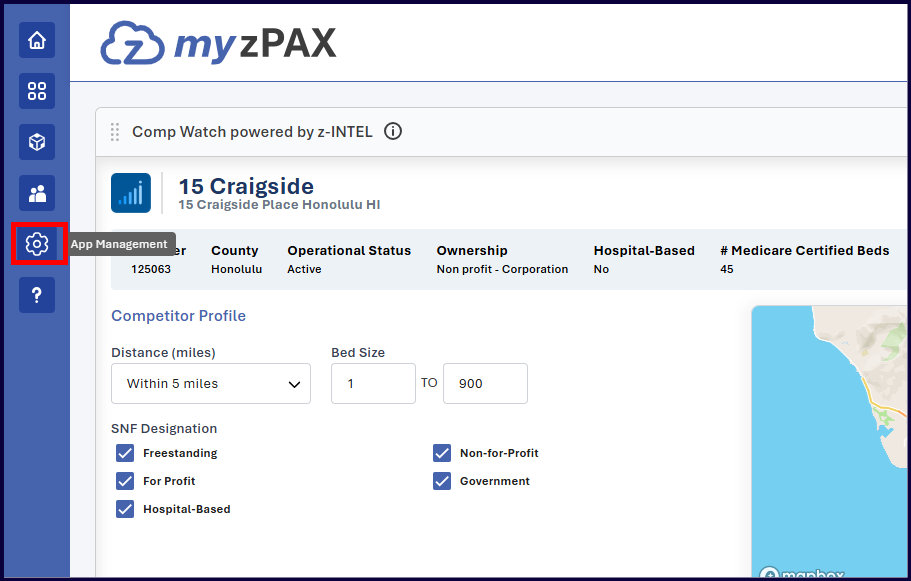
Open App Management
- Navigate to the home page.
- Click the cog-wheel icon to open the App Management window.
View Applications
- All applications created using your administrator account are listed under the App Details tab.
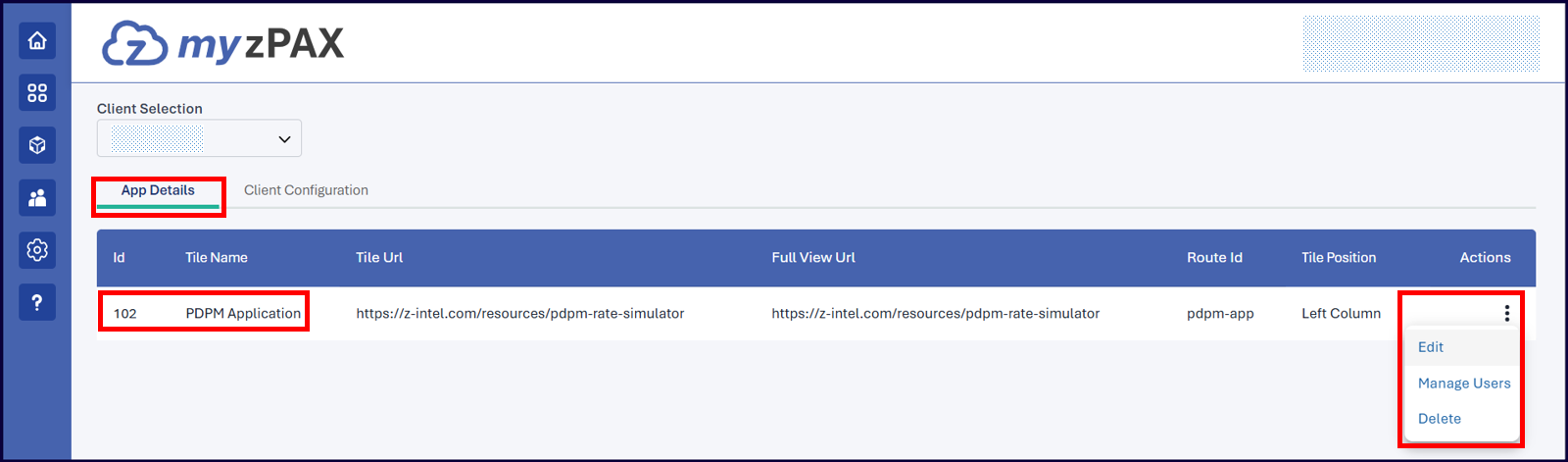
Manage Applications
You can perform the following actions:
- Edit: Modify any of the information that was provided while creating the tile.
- Manage Users: Navigate to the User Management window for the selected application.
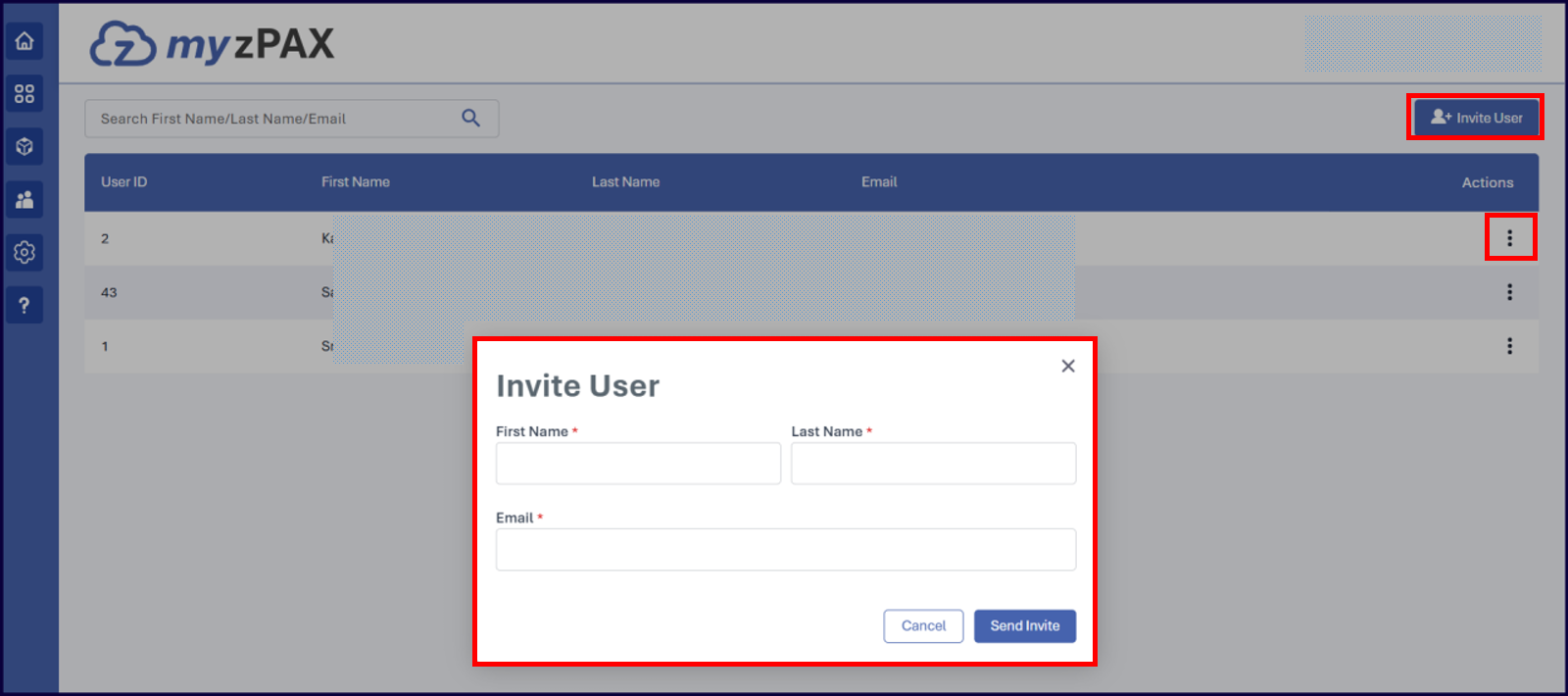
User Management
- View the list of users who currently have access or remove user access using the Vertical Ellipsis menu under Actions.
- Click Invite User to open the Invite User pop-up to enter the details and invite a new user to access the application.